





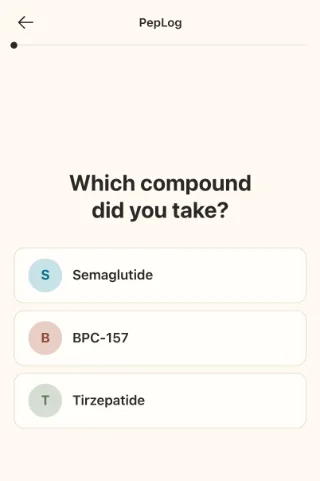
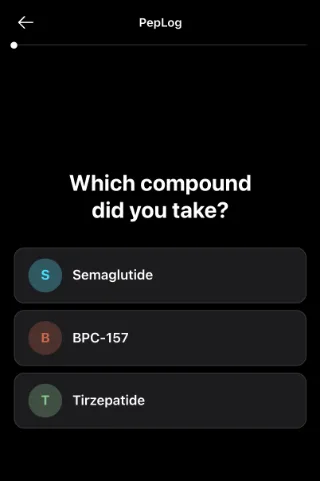
Pick the compound, then say how much, where and when. You type every amount; none is suggested.
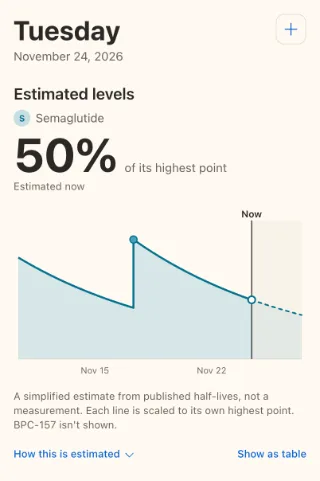
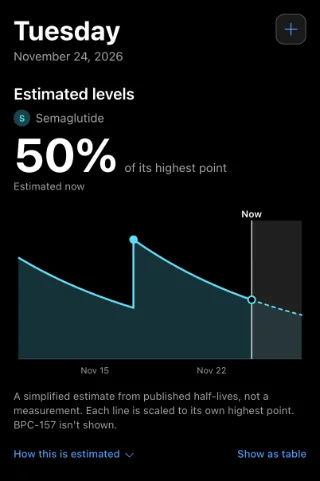
A simplified estimate from published half-lives and the doses you logged, always labelled as one.
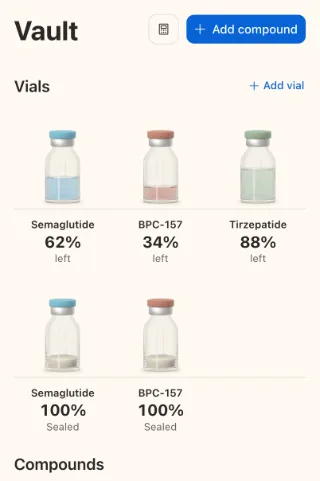
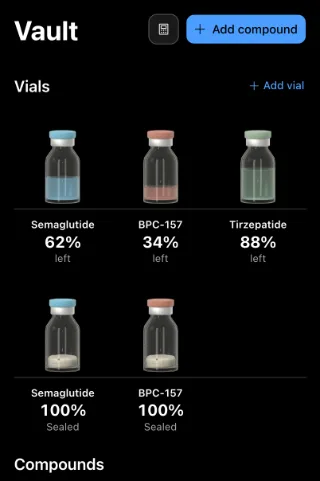
Each vial is drawn to what's left, in its compound's color, with how much is left under it.
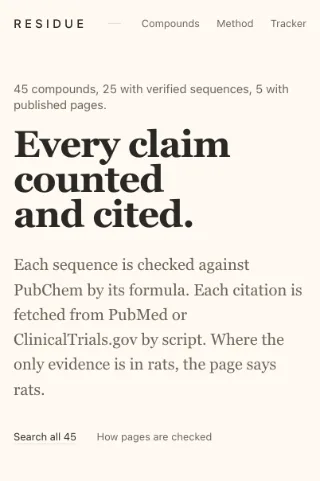
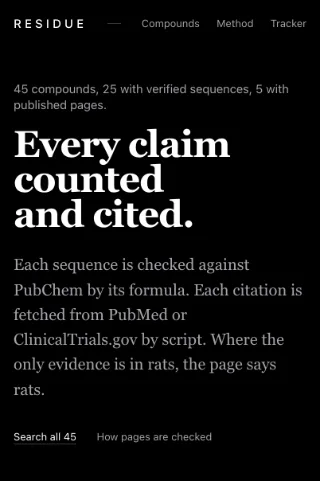
What published studies did and found, compound by compound, every claim linked to its paper. It lists no doses.
A private log for peptides and GLP-1s.
Doses, vials and how you feel, all kept on this device. PepLog never suggests a dose.
Open PepLogNo account. Works offline once opened.
9:41
Every vial, drawn to what's left
Add a vial with what its label says and, once it's mixed, how much water went in. Each dose you log from it lowers the level, so the Vault shows what remains at a glance.
- Sealed and mixed vials, each drawn as it is
- A warning when a vial runs low or nears its expiry date
- A syringe calculator that works from your own numbers
Today's doses on one short list
Write down the schedule you already follow: every day, every few days, or on the weekdays you choose. Home lists what is due today, and one tap marks a dose logged or skipped.
- Daily, every few days, set weekdays or as needed
- A calendar of what was taken, skipped or missed
- A body map of where you injected, for rotating sites
The research, with its sources
Residue, the library from the people who make PepLog, records what published studies did and found for 45 compounds, 5 of them written up in full so far. Every claim links to its paper. It lists no doses.
- A grade for how much human evidence each compound has
- A sequence is shown only once it matches PubChem
- Readable offline once the app has opened
Semaglutide
Evidence grade A: Human trial data13 reports, 30,457 people
2023, randomized or controlled
17,604people
5
Lincoff, Brown-Frandsen, Colhoun et al. N Engl J Med, 2023
Human study, randomized controlled trialPMID 37952131
A daily check-in, in a few taps
Rate your energy and mood from one to five, and add how you slept if you want to. Progress shows each day on one page with your weight, side effects and the days you dosed. It draws no conclusions for you.
- Energy, mood and sleep quality, each out of five
- Weight over time, with dose days marked beneath
- Side effects, with how strong each one was
How's your energy?
And your mood?
How it works
Four screens from the app itself, filled with sample records.
Questions
Where is my data kept?
On this device, in your browser's storage. There is no account and nothing is uploaded, and there are no ads or analytics.
Because it lives only here, clearing the browser's data deletes it. More, then Data, makes a backup file you can keep or move to another device.
Does PepLog suggest doses?
No. You type every amount yourself. PepLog never suggests a dose, frequency or protocol. The only amounts it offers back are your own, from your protocol or your last log.
Are the levels a measurement?
No. The chart is a simplified estimate from published half-lives and the doses you logged, not a blood test. It shows no target ranges. A compound is drawn only once its library page gives a human half-life.
Do I need an account?
No. There is nothing to sign up for. Open it and start.
What does it cost?
Free during early access.
Does it work offline?
Yes. Once it has opened, every screen works without a connection. On iPhone, add it from Safari with Share, then Add to Home Screen; on Android, Chrome offers Install.
Is this medical advice?
For tracking and educational purposes only. Not medical advice. Consult a healthcare provider.